Your openHAB energy monitor loses data after reboot because the values were never written to disk, the database was corrupted on power cut, or the clock jumped. Fix persistence, move the database off the SD card, and force time sync before logging.
On this page
- Quick recap
- Why your openHAB energy monitor is losing data after reboot
- Check 1: Is your persistence actually saving the energy data?
- Check 2: Is the database surviving the reboot?
- Which settings or bindings affect data persistence?
- How to configure openHAB to keep energy monitor data
- How to verify data is retained after reboot
- Quick questions
Part of our guide on track home energy consumption
Quick facts
- Default persistence
- rrd4j, keeps numeric data only
- Restore on boot
- needs restoreOnStartup strategy
- Common failure
- SD card corruption after power cut
- Time sync wait
- several minutes at boot
- Safe storage
- SSD or high-endurance card rated for continuous writes
- Check after reboot
- API shows last kWh value
Quick recap
- Assign every energy Item to a persistence service with restoreOnStartup or the chart has nothing to reload.
- Store kWh on an SSD or high-endurance card rated for continuous writes (look for High Endurance / Endurance, not just A1/A2): cheap SD cards corrupt when power drops.
- Force NTP time sync at boot so new readings get the right timestamp.
- Test with a controlled reboot and check the REST API: don't wait for the next outage.
Why your openHAB energy monitor is losing data after reboot
Your openHAB energy monitor is losing data after reboot when the number on the dashboard lived only in memory. OpenHAB keeps Item states in RAM while it runs. It only writes them to disk if your persistence file tells it to. No rule means no write. Reboot clears RAM and the chart goes flat.
Three causes cover almost every case. First, persistence is missing or wrong for your kWh Items, so nothing ever saved. Second, the database file breaks during reboot after a power cut and openHAB starts empty. Third, the system clock jumps at boot and new points get the wrong timestamp. You see a gap, not a loss.
Energy data hurts more than a light switch. A switch just needs its last state back. An energy feed needs every 1-minute or 5-minute W and kWh point to draw a bill or compare retrofit options. If the strategy is everyChange only and your meter holds steady for hours, you get one point. If the clock was wrong for minutes after boot, those points hide off the chart.
| Symptom after reboot | Likely cause | Where to look first |
|---|---|---|
| Graph empty, Item shows NULL | No persistence or no restoreOnStartup | persistence file and Item config |
| Graph flat then resumes, old data gone | Database file corrupt on SD card | openhab.log and file size |
| Gap of several minutes, data returns shifted | Clock was wrong at boot | journalctl and NTP status |
Check 1: Is your persistence actually saving the energy data?
Start here. Most cases of openHAB energy monitor losing data after reboot are a config miss, not a broken disk. You need two things: a persistence service installed, and a rule that tells it which Items to save and when. OpenHAB ships with rrd4j for numbers and mapdb for last-state restore. Neither saves your kWh Items until you assign them. The other half of this decision is nest thermostat energy dashboard not working.
Open the file rrd4j.persist or influxdb.persist. On a Linux apt install both OH3 and OH4 use /etc/openhab/persistence. In Docker use /openhab/conf/persistence. Check the Strategies and Items blocks. Use everyMinute or every5Minutes for energy, plus everyChange and restoreOnStartup. Without restoreOnStartup the Item returns as NULL after reboot even if history exists. With only everyChange a steady meter writes rarely and the chart looks thin.
Check what is actually installed. In Main UI go to Settings → Persistence. The tick shows the default service. Confirm it in the console with openhab:persistence list or via the REST API with GET /rest/persistence. To see if an Item is persisted, query GET /persistence/items/YourEnergyItem in Developer Tools → API Explorer. If your charts read rrd4j but your energy Items write to influxdb, you read the wrong place. Set the default explicitly in services.cfg with persistence:default=influxdb or pick one source of truth.
- Rrd4j: good for quick charts. With default rrd4j.cfg it keeps every-minute data for about a day then averages older points. Check rrd4j.cfg if you changed archives. Fine for power, lossy for billing.
- InfluxDB or MariaDB: keeps every W and kWh point you send, needs more disk and a backup plan.
- Mapdb: stores only the last value for restore, not history - use it alongside rrd4j or InfluxDB, not alone.
Check 2: Is the database surviving the reboot?
If persistence is correct but history still vanishes, the file did not survive reboot. On a Raspberry Pi the usual culprit is the SD card. Power cuts interrupt writes to rrd4j or mapdb files and leave a 0-byte or corrupt file. OpenHAB then creates a fresh empty database on next start. You see normal logging but old points are gone. Cards rated for cameras fail faster under constant writes. It helps to understand energy saving tips to cut bills before going further.
Look for clues before you replace anything. Check /var/log/openhab/openhab.log right after boot for lines like Error opening database. Check file sizes. On apt installs look in /var/lib/openhab/persistence; in Docker look in /openhab/userdata/persistence. A rrd4j file that is 0 bytes or much smaller than last week is corrupt. Run dmesg | grep mmc for I/O errors. If you use zram, a hard power cut can discard the RAM overlay before it flushes.
Make storage survive power loss. Move persistence to a small SSD on a USB 3.0 adapter, or at least to a high-endurance card rated for continuous writes (look for High Endurance / Endurance, not just A1/A2). Put InfluxDB or MariaDB on that drive, not on the boot card. Enable zram with persistence sync, or exclude the database folder from zram. Add a controlled shutdown.
Energy logging writes a lot. A meter sending updates every 10 seconds writes thousands of points per day per Item. Multiply by three phases and you hammer a cheap card. An SSD handles that with wear levelling. It also keeps your retrofit decisions honest. You cannot compare heat pump kWh before and after insulation if January was blank. We cover reducing wasted heating energy in its own article.
- SSD survives frequent writes for years
- keeps full-resolution kWh for billing
- needs USB adapter and extra power
- costs more than a basic SD card
Which settings or bindings affect data persistence?
Not every setting matters. These do. The persistence file decides what is saved, when, and whether it comes back after reboot. The binding decides what value arrives to be saved. The system clock decides what timestamp it gets. Get one wrong and the chain breaks.
The persistence file uses the Strategies you set in Check 1. Apply everyMinute, everyChange and restoreOnStartup to your energy Items or group. A group called gEnergy is tidy. Add gEnergy* to the Items block and every new meter joins automatically. Keep restoreOnStartup on the same group so all meters reload together. The default persistence in Main UI must match where your charts read.
Bindings add their own traps. MQTT, Modbus and HTTP meters often need transformation and unit set correctly. If the channel delivers Wh but your Item is kWh, the value may be rejected or stored as zero. Check the Thing status after reboot. A binding that is OFFLINE for a minute at boot will miss the first points. The NTP binding or systemd-timesyncd must be online before persistence writes. If time is wrong, InfluxDB keeps the point but Grafana hides it outside the window. For the detail, see our notes on how low sunlight affects solar export readings.
Retention matters too. Rrd4j compresses old data by design. With the default rrd4j.cfg it keeps every-minute data for about a day, then averages older data into coarser archives. That is not a bug. If you need bill-accurate kWh, use InfluxDB with a retention policy of a year or more and a continuous backup. Set that retention in InfluxDB itself, not in openHAB.
| Setting | What it does | Safe choice for energy |
|---|---|---|
| Persistence strategy | When a value is written | everyMinute plus everyChange |
| restoreOnStartup | Reload last value at boot | add to every energy group |
| Default persistence | Which DB charts read | set to InfluxDB if you use it |
| Binding Thing status | Whether new readings arrive | check it is ONLINE after reboot |
| System clock / NTP | Timestamp for each point | wait for sync before logging |
How to configure openHAB to keep energy monitor data
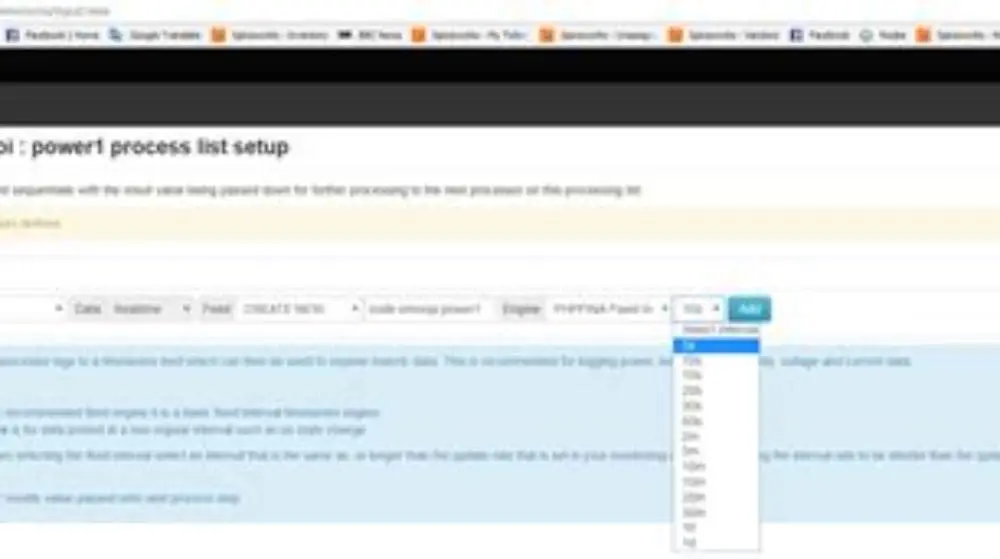
Pick one persistence for energy and commit to it. For most UK homes on a Pi, use rrd4j for quick Main UI charts plus InfluxDB on an SSD for accurate kWh history. Install InfluxDB, create a database called openhab, and add the influxdb persistence add-on. In influxdb.persist add a Strategy block with everyMinute, everyChange and restoreOnStartup. In the Items block add gEnergy* : strategy = everyMinute, everyChange, restoreOnStartup. Put every Number:Energy and Number:Power Item in gEnergy. File location depends on install type: /etc/openhab/persistence on apt, /openhab/conf/persistence in Docker.
Set InfluxDB as default if your charts and rules read from it. In Main UI → Settings → Persistence, tick InfluxDB as default. Or set persistence:default=influxdb in services/addons.cfg. Keep mapdb for fast restore of non-numeric Items like switches, but do not rely on it for kWh. Check units. If your clamp sends W, keep the Item as Number:Power with unit="W". Let openHAB handle conversion, not a rule that rounds away decimals. People in this spot often ask about csv logging interval too coarse as well.
Make the store durable. If you stay on SD, enable zram and set its sync to a suitable interval and on shutdown. Better, mount the InfluxDB data folder on the SSD and add it to /etc/fstab with noatime. Give the Pi a proper shutdown path. A small UPS that signals the Pi to halt on mains loss stops corruption. Set the Pi to wait for time-sync.target before starting openHAB. Do not edit /usr/lib/systemd/system/openhab.service directly, it is overwritten on upgrade. Run sudo systemctl edit openhab.service and add an override with [Unit] After=time-sync.target and Wants=time-sync.target, then reload.
Back up what you keep. Schedule a nightly influxd backup to a second disk or NAS, and copy /etc/openhab and /var/lib/openhab with openhab-cli backup on apt or /openhab/conf and /openhab/userdata in Docker. Test restore once. A backup you have never restored is just hope. For retrofit use, tag each Item with location and circuit so you can query kWh by heat pump, hot water or whole house later without renaming.
- Group: put all energy Items in gEnergy - one line in persist covers future meters.
- Strategy: use everyMinute for smooth charts and everyChange for spikes.
- Restore: always include restoreOnStartup for energy groups.
- Storage: keep InfluxDB data on SSD, not on the boot SD card.
How to verify data is retained after reboot
Do a controlled test, not a surprise power cut. Note the last kWh value and time. In Main UI → Developer Tools → API Explorer run GET /persistence/items/YourEnergyItem and check the last point. Or look at the chart for the last hour. You should see a continuous line to now. If the last point is NULL or the chart ends early, stop. Fix persistence before rebooting.
Reboot cleanly. Run sudo systemctl stop openhab, wait for it to stop, then sudo reboot. After the Pi comes back, wait several minutes for NTP and bindings to settle. Check timedatectl shows System clock synchronized: yes and NTP service: active. Use timedatectl show-timesync and journalctl -u systemd-timesyncd to see sync status. Then query GET /persistence/items/YourEnergyItem again. You should see new points within a minute. Writes do not appear in log:tail by default, so do not expect a line. Enable TRACE if you need log proof.
Check retention, not just restore. Reload the same GET call. Pre-reboot points should still be there and new points should append with correct timestamps. Look at InfluxDB directly with influx -database openhab -execute "select last(value) from YourEnergyItem" if you use it. Compare before and after. A gap of a minute or two is normal. A gap of an hour or a jump to zero means the clock was wrong or the database was recreated. Repeat the test after a power-cut simulation only once the clean reboot passes.
Make it routine. After any openHAB upgrade, binding change or Pi move, run this 5-minute check. Log the result with date and kWh total. When you later claim a saving from cavity wall insulation or a heat pump, you have a continuous record to show.
- Record last kWh and time, and fetch last persistence point via API Explorer.
- Stop openHAB cleanly, reboot, wait several minutes for NTP sync.
- Check timedatectl and query persistence via API for new points with correct timestamp.
- Fetch persistence again and confirm old points remain and new points append.
- If gap over a few minutes or data missing, fix clock or storage then retest.
Quick questions
Why does openHAB show NULL for energy Items after reboot?
The Item had no restoreOnStartup strategy. Add your energy group to the persistence file with restoreOnStartup and make sure that persistence is the default. On next boot the last saved value reloads instead of NULL.
Can a power cut corrupt my energy history?
Yes. SD cards can leave database files half-written. Use a clean shutdown, move InfluxDB to an SSD, and keep nightly backups. A small UPS that tells the Pi to halt removes most risk.
Is rrd4j enough for kWh billing?
No. With default rrd4j.cfg it averages old data to save space, so totals drift. Use InfluxDB or MariaDB for bill-accurate kWh and keep rrd4j for fast charts if you like. Check rrd4j.cfg if you changed archives.
How long should I keep energy data?
Keep minute data for at least a year. That covers a full heating season and lets you compare before and after a retrofit. Set retention in InfluxDB, not just in openHAB.
How do I know time sync is the problem?
Check timedatectl after boot. If System clock synchronized is no for a minute or two, points get wrong timestamps. Delay openHAB start until time-sync.target with a systemctl edit override and gaps stop.