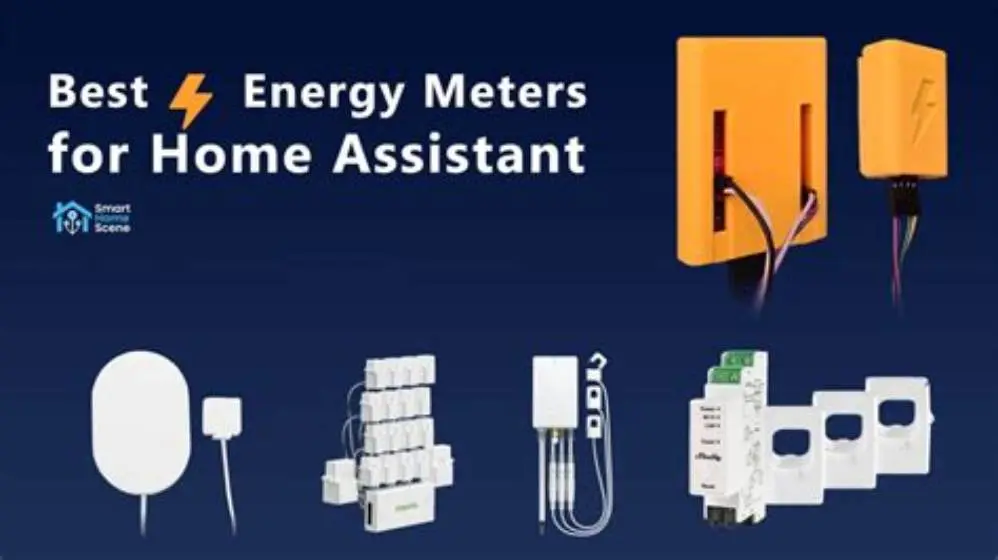
Use a clamp-on CT sensor energy monitor with open protocol support like MQTT, paired with a Home Assistant-compatible hub. It must measure real-time current and voltage, with clamps rated around 50 A or higher, for accurate whole-home tracking and smart automation.
On this page
- Quick recap
- Why choose an energy monitor for home assistant
- How to pick the right energy monitor for your UK home assistant
- What features matter for retrofit and behaviour change decisions
- Best energy monitor for home assistant: technical comparison
- How to install and set up an energy monitor with Home Assistant
- How the best energy monitor for home assistant helps you save money and improve your home
- Quick questions
Part of our guide on how to monitor home energy usage
Quick facts
- Typical clamp rating
- 30-100 A
- Accuracy range
- ±1-3% (calibrated, voltage referenced)
- Data update frequency
- 1-10 seconds
- Integration protocol
- MQTT / API
- Installation type
- Non-invasive clamp-on
Quick recap
- Pick monitors with real-time data export to Home Assistant via MQTT or API.
- Clamp sensors rated 30-100 A fit most UK domestic supplies.
- Accuracy depends on calibration and voltage measurement; ±1-3% error is typical for retrofit clamps.
- Avoid monitors requiring complex rewiring or uncertified installers.
- Focus on both whole-home and appliance-level insights for informed decisions.
Why choose an energy monitor for home assistant
Energy monitors reveal patterns of energy use and waste in your home. Connecting one to Home Assistant turns raw data into actionable insights for your UK home.
They provide both whole-home and appliance-level consumption data, showing real-time and historical use. This helps decide where retrofit measures like insulation or heat pumps have impact.
A key feature is live, reliable data export to Home Assistant for energy-saving automations or alerts.
Some monitors also track voltage and power quality, helping you spot issues that shorten appliance life or increase costs. Home Assistant can notify you of these problems. For the detail, see our notes on how to submeter washer dryer amp draw without electrician.
Choose a monitor supporting firmware updates to keep compatibility and receive improvements over time, securing your investment.
How to pick the right energy monitor for your UK home assistant
Select clamp sensors designed for UK mains voltage around 230 V and currents up to 100 A, covering most domestic boards.
Confirm the monitor supports Home Assistant via MQTT or compatible API for live data without manual export. For the detail, see our notes on energy monitor data loss.
Accuracy depends on calibration and voltage measurement. Clamps with ±1-3% error under typical loads are reliable for daily use and retrofit evaluation.
Choose non-invasive clamps to avoid complex rewiring and reduce installation cost and risk. Installation time varies depending on consumer unit access and wiring complexity; only undertake if competent and legally permitted.
Data update intervals between 1 and 10 seconds help capture usage peaks and patterns effectively. People in this spot often ask about why does my smart plug show watts when device off as well.
For homes with three-phase power, pick a monitor that supports three-phase measurement to get accurate total consumption. Single-phase clamps suit typical UK single-phase homes.
Consider communication protocol: Wi-Fi is common, but Zigbee or Z-Wave may be better if your Home Assistant hub supports them or has a compatible bridge.
Check the physical size of clamps and hubs to fit your consumer unit’s space and ensure reliable network connection near your router or hub. For the detail, see our notes on how low sunlight affects solar export readings.

Meross Smart Home Energy Monitor with 18 Circuit Monitoring
Keeps your Home Assistant energy monitoring local and private with no cloud delays for reliable automation.
What features matter for retrofit and behaviour change decisions
Live data on total consumption plus options for per-circuit or per-appliance monitoring help identify high-use devices.
Historical data logging with local or cloud-free storage lets you track trends before and after retrofit work.
Notifications for unusual spikes let you address faults early, reducing waste and costs. If that sounds like your situation, read up on choosing ammeters for surge measurement next.
Power factor measurement reveals inefficient appliances drawing reactive power, which can increase bills on some tariffs.
Integration with smart controls lets Home Assistant automate switching devices off or curtailing usage during peak times or low solar generation.
Some monitors estimate appliance-level consumption through algorithmic disaggregation from whole-home data, reducing the need for extra sensors.
Real-time alerts for abnormal usage patterns can detect issues like water leaks or heating faults early, helping avoid expensive repairs.
Integration with weather data via Home Assistant can optimize heating or solar usage based on temperature or sunshine forecasts.
Best energy monitor for home assistant: technical comparison
Compare popular monitors on clamp ratings, integration methods, and feature sets before buying. The table shows three widely used retrofit options in UK homes with sourced specs from manufacturers' datasheets and user reports.
Shelly EM (model 1.0) clamps up to 100 A per channel, supports MQTT natively, and fits consumer units with clamps sized about 22 mm inside diameter. It provides reporting intervals configurable down to 1 second. Accuracy depends on calibration and voltage reference; typical ±2% under standard loads.
Sense Energy Monitor offers cloud-based API access and appliance detection but requires cloud connection. Clamp ratings cover 30-100 A. Accuracy is ±1.5% under ideal conditions but depends on voltage measurement and load type.
Aeotec Home Energy Meter Gen5 uses Z-Wave protocol, fits clamps rated up to 100 A, and offers ±2% accuracy under calibration with voltage reference. It integrates well with Home Assistant hubs supporting Z-Wave.
All monitors require clamping single live conductors only, with arrow direction following load, and installation after isolating supply. Consult qualified electricians if unsure.
Prices range approximately from £70 to £150 in the UK market. Local data storage via Home Assistant reduces privacy risks compared to cloud-only solutions.
| Model | Clamp rating (A) | Accuracy | Home Assistant Integration | Data Storage | Installation |
|---|---|---|---|---|---|
| Sense Energy Monitor | 30-100 | ±1.5% (calibrated, voltage referenced) | Cloud API | Cloud with local caching | DIY clamp-on, qualified electrician advised |
| Shelly EM (v1.0) | Up to 100 | ±2% (typical, requires calibration) | MQTT native | Local via Home Assistant | DIY clamp-on, qualified electrician advised |
| Aeotec Home Energy Meter Gen5 | Up to 100 | ±2% (calibrated with voltage) | Z-Wave | Local via Home Assistant | DIY clamp-on, qualified electrician advised |
- Compatible with Home Assistant
- Easy clamp installation
- Real-time data updates
- Cloud dependency for some
- Accuracy varies by clamp and calibration
- Local data options limited for cloud monitors
How to install and set up an energy monitor with Home Assistant
Switch off your home's main breaker before fitting clamps to avoid electric shock.
Clamp sensors around single live conductors only (not live plus neutral) in your consumer unit or distribution board, following manufacturer instructions. Ensure clamp arrow points in load direction.
Connect the monitor hub to power and your network for data transmission.
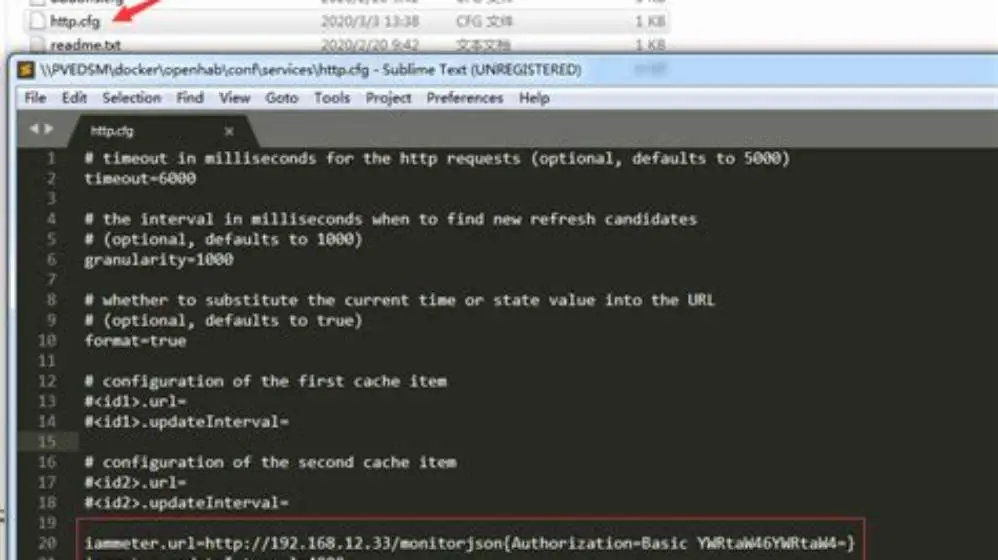
Integrate the monitor with Home Assistant by adding the MQTT or API integration, then verify live data appears in your dashboard.
Set thresholds and automations in Home Assistant to alert on high consumption or trigger smart devices.
Check your consumer unit’s space and cable layout before installation. Removing the cover and identifying live conductors clearly is necessary. If unsure, use a qualified electrician.
After installation, test the connection by turning on a high-power appliance such as a kettle. You should see a usage spike in Home Assistant within seconds.
If connectivity issues arise, move the hub nearer your router or use a mesh Wi-Fi extender. Some monitors support Ethernet for stable data transfer.
- Switch off mains power at the consumer unit.
- Attach clamp sensors around single live conductors only.
- Power on the energy monitor and connect to your network.
- Configure Home Assistant integration and verify data feed.
- Create automations for alerts or device control based on energy usage.
How the best energy monitor for home assistant helps you save money and improve your home
Live feedback on energy use helps you identify where to save, but actual savings depend on your tariff, appliance use, and behaviour changes.
You can verify if retrofit grants like ECO4 or Boiler Upgrade Scheme work by measuring before and after energy use.
Energy monitors help find vampire loads (appliances using power when off) that add to your bills.
Smart schedules and demand response automation let Home Assistant reduce use during peak tariff times, lowering costs.
Whole-home energy data guides where insulation or ventilation upgrades improve your EPC rating.
Historical data lets you compare energy use before and after solar or heat pump installation, confirming their benefit.
Automations can reduce heating or cooling in unoccupied rooms using monitor data combined with motion sensors.
Monitors reveal inefficient appliances drawing standby power. Replacing these may save tens of pounds yearly, depending on appliance and tariff. Calculate savings using your actual watt-hour data.
Quick questions
Can I install a home assistant energy monitor myself?
Only if you have basic electrical knowledge and legal permission. Clamp sensors clip around cables without cutting wires. Always switch off mains first or hire a qualified electrician.
Do energy monitors work with all UK electricity suppliers?
Yes, they measure usage on your side of the meter independently of your supplier, providing immediate data.
How accurate are clamp-based energy monitors?
Accuracy is typically ±1-3%, depending on clamp quality, calibration, and whether voltage is measured alongside current.
Will an energy monitor reduce my energy bills automatically?
No. It provides data you can use to change behaviour or optimize appliances. Some have smart controls that Home Assistant can automate.
Are cloud-based monitors a privacy risk?
Potentially, since usage patterns reveal occupancy. Prefer devices allowing local data storage or Home Assistant integration without mandatory cloud use.